Your Shopify App Stack Is Quietly Eating Your Profit
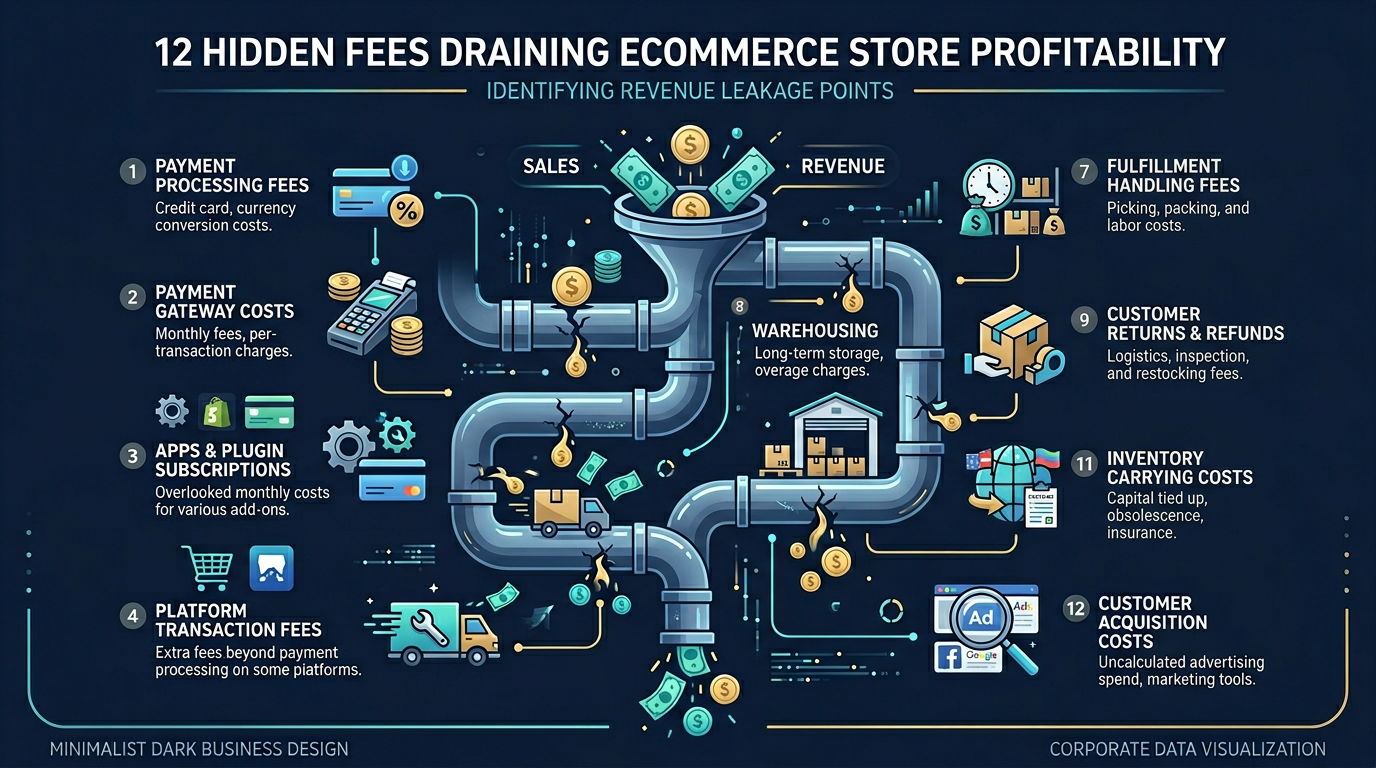
The average Shopify store spends $200-$400 per month on apps. For stores under $30K revenue, that can be 1-4% of GMV — for software most founders forgot they installed.
Nguyen Tuan Dai
Founder & CEO, Okiela

Key Takeaways
- 1Average Shopify store spends $200-$400/month on apps -- at 10% profit margin, that is 20-40% of profit
- 2Three types of waste: forgotten apps, overlapping apps, and "just in case" apps
- 315-minute audit: list all apps, label Essential/Useful/Unused, uninstall all Unused immediately
- 4Cutting $150/month in app costs has the same profit impact as selling $18,000 more product
- 5Shopify has free built-in alternatives for SEO, reviews, email capture, analytics, and abandoned carts
Table of Contents (8 sections)
Open your Shopify admin right now. Go to Settings, then Apps and sales channels. Count the apps.
If you are like most stores I audit, you have somewhere between 8 and 15 active apps. Each one seemed like a good idea when you installed it. A review app. An email tool. A shipping calculator. An SEO optimizer. A pop-up builder. Maybe two or three you installed during a late-night research session and completely forgot about.
Now open Settings > Billing > Your plan. Add up the monthly charges.
I will wait.
Most founders who do this exercise for the first time have a reaction that goes something like: "Wait... I am paying HOW much for apps?"
The Average App Stack Cost
Based on data from Shopify community discussions and the stores I have analyzed, here is what typical app spending looks like:
| Store Size (Monthly Revenue) | Typical App Spend | % of Revenue |
|---|---|---|
| Under $10,000 | $100-$200/month | 1-2% |
| $10,000-$30,000 | $200-$400/month | 0.7-4% |
| $30,000-$100,000 | $400-$800/month | 0.4-2.7% |
| $100,000+ | $800-$2,000/month | 0.8-2% |
At first glance, 1-2% of revenue does not sound like much. But remember — that is 1-2% of REVENUE, not profit.
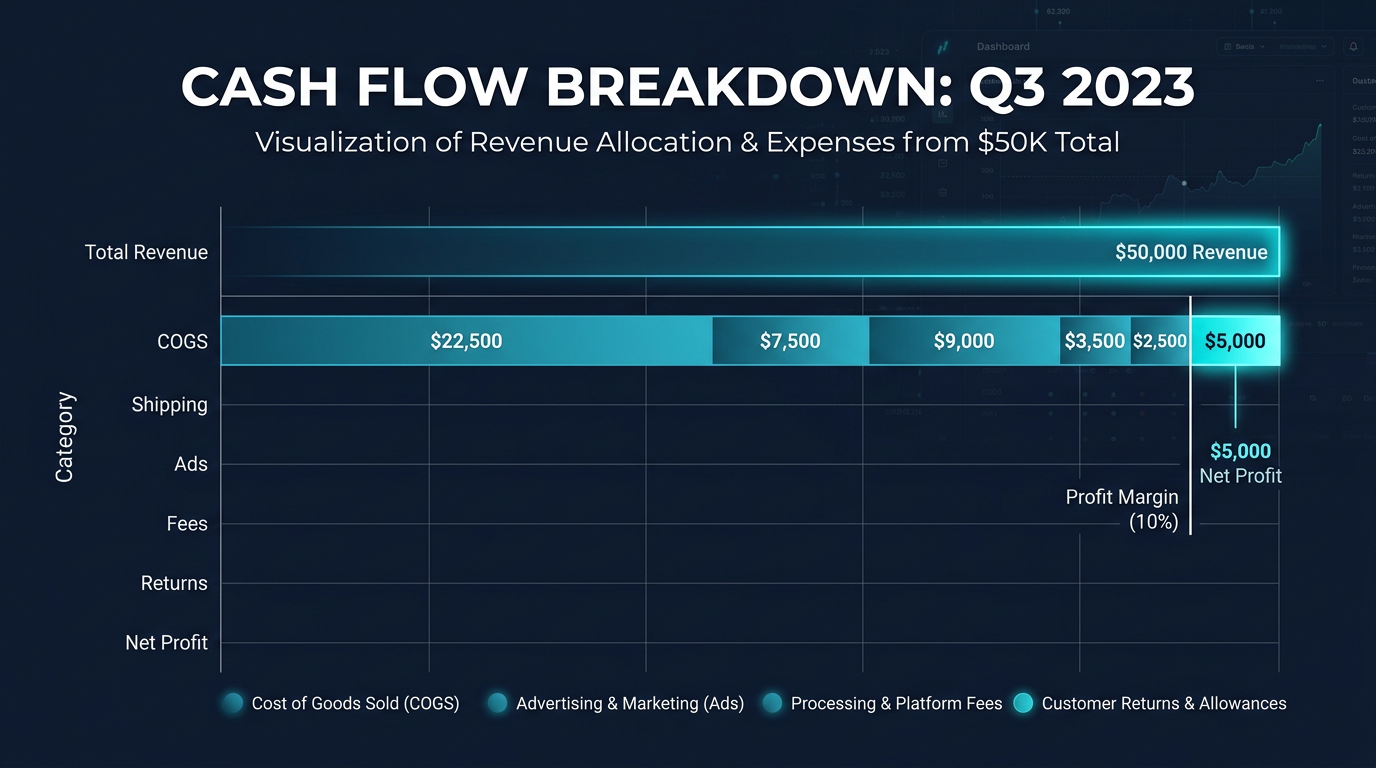
If your net profit margin is 10% (which is generous for most DTC brands), that app spend is eating 10-20% of your actual profit. A store making $10,000 a month with $1,000 in net profit and $200 in app fees is spending 20% of its profit on software.
That is not a rounding error. That is a real cost that directly reduces what you take home.
The App Categories That Cost the Most
Here is a realistic breakdown of what a typical Shopify store pays:
| Category | Common Apps | Typical Monthly Cost |
|---|---|---|
| Reviews | Loox, Judge.me, Yotpo | $15-$99 |
| Email/SMS | Klaviyo, Omnisend, Postscript | $45-$350 |
| Upsells/Cross-sells | ReConvert, Bold Upsell, Candy Rack | $20-$50 |
| SEO | SEO Manager, Smart SEO, Plug in SEO | $20-$40 |
| Shipping | ShipStation, Shippo, AfterShip | $25-$100 |
| Pop-ups/Conversion | Privy, OptiMonk, Justuno | $25-$75 |
| Returns | Loop, ReturnGO, Returnly | $30-$100 |
| Analytics | Lucky Orange, Hotjar, Triple Whale | $0-$399 |
| Page builder | PageFly, Shogun, GemPages | $25-$100 |
| Other (miscellaneous) | 2-4 random apps | $20-$80 |
| Total | $225-$1,393 |
The email/SMS category alone can cost $150-$350 for stores with bigger subscriber lists. And once you are on a plan, the cost usually scales with your list size or order volume — so it grows as you grow, even if the value does not proportionally increase.
The 3 Types of App Waste
Type 1: The Forgotten App
You installed it 8 months ago to test something. The trial ended. It started charging. You never uninstalled it because you forgot it existed. I find at least 1-2 of these in every store I audit.
Fix: Right now, go to your Shopify app list. If you have not actively used an app in the last 30 days, uninstall it. You can always reinstall later.
Type 2: The Overlapping App
You have Privy AND OptiMonk doing pop-ups. Or Judge.me AND Loox handling reviews. Or two different shipping calculator apps. This happens when you try something new but never cancel the old one.
Fix: For each category (email, reviews, shipping, pop-ups), you should have exactly ONE app. If you have two, keep the one that works better and cancel the other.
Type 3: The "Just in Case" App
You installed a backup app "just in case." A second analytics tool. An extra SEO plugin. A page builder you used once.
Fix: Apps you only use "sometimes" or "just in case" are not free. They cost money every month whether you use them or not. If you have not used it in 60 days, it is not "just in case." It is just a cost.
The 15-Minute App Audit
Here is exactly how to audit your app stack:
Step 1 (5 minutes): Open Settings > Apps and sales channels. Create a list of every app name and its monthly cost. If you cannot find the cost easily, check Settings > Billing > Your plan.
Step 2 (5 minutes): Next to each app, write one of three labels:
- ESSENTIAL — I use this daily/weekly and it directly contributes to revenue or operations
- USEFUL — I use this occasionally, it has some value
- UNUSED — I have not touched this in 30+ days
Step 3 (5 minutes): Uninstall every UNUSED app immediately. For USEFUL apps, ask: "Could I do this with a free alternative or a built-in Shopify feature?" If yes, switch.
Most founders who do this audit save $50-$150 per month. That is $600-$1,800 per year. Straight to your profit line.
The Shopify Free Alternatives You Are Probably Overlooking
Shopify has added a lot of built-in features that make certain apps unnecessary:
| Paid App Category | Shopify Built-in Alternative |
|---|---|
| Basic SEO (meta tags, sitemaps) | Shopify's native SEO fields + automatic sitemap |
| Simple email collection | Shopify Forms (free) |
| Basic analytics | Shopify Analytics (improved significantly in 2025-2026) |
| Discount codes | Shopify's native discount engine |
| Basic product reviews | Shopify Product Reviews (free app by Shopify) |
| Social selling | Shopify's Meta/Instagram/TikTok channels (free) |
| Abandoned cart emails | Shopify's built-in abandoned cart recovery |
You do not need a paid app for every feature. Shopify's free tools are good enough for most stores under $50K/month.
The Real Impact on Your Numbers
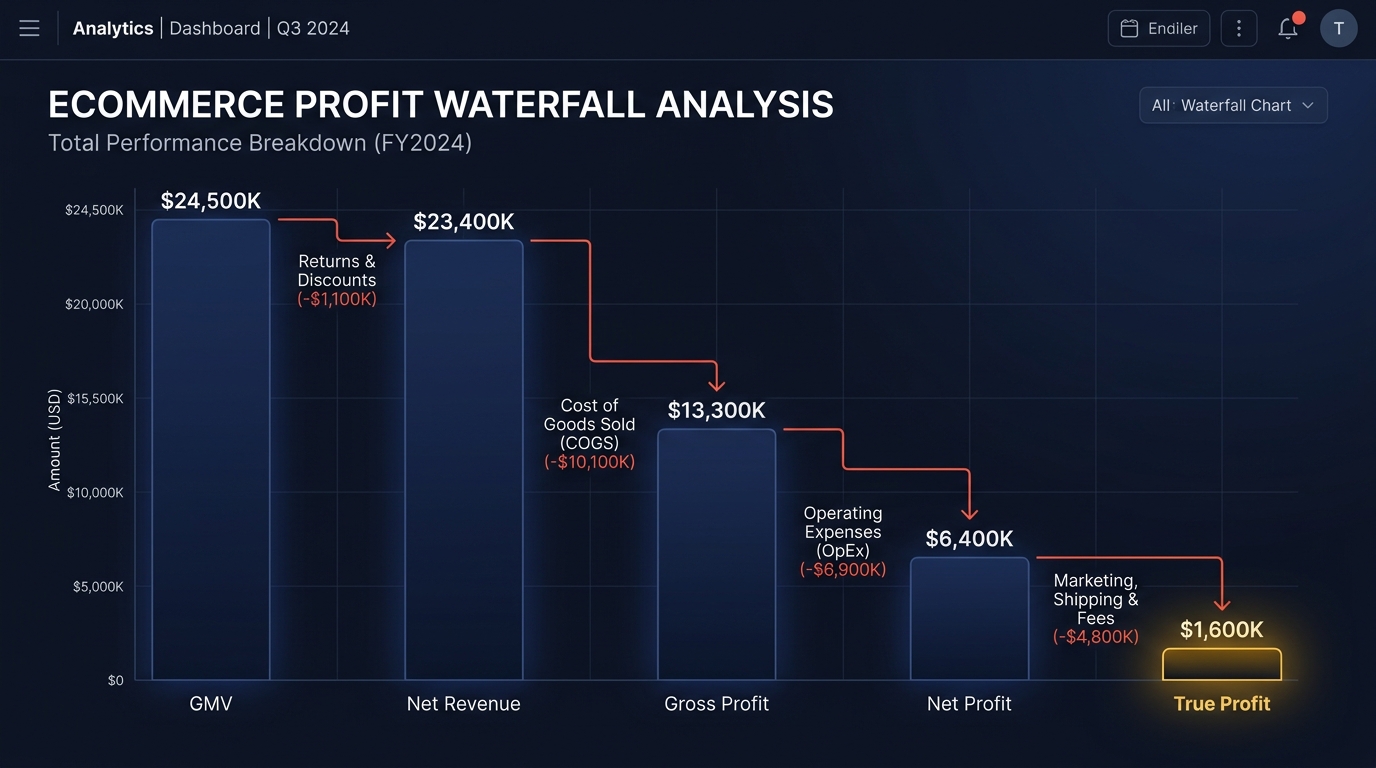
Let me show you what app cost savings look like in a profit waterfall:
Before audit:
- Revenue: $25,000/month
- After COGS, shipping, fees, returns: $9,375 (37.5% margin)
- Ad spend: -$5,000
- App stack: -$380/month
- Other fixed: -$200
- Profit: $3,795 (15.2% margin)
After audit (cut $150/month in unused apps):
- Revenue: $25,000/month
- After COGS, shipping, fees, returns: $9,375
- Ad spend: -$5,000
- App stack: -$230/month (saved $150)
- Other fixed: -$200
- Profit: $3,945 (15.8% margin)
$150 saved per month is $1,800 per year. At a 10% profit margin, that is equivalent to generating $18,000 in additional revenue. But this $1,800 goes straight to profit. No COGS. No shipping. No fees. Pure bottom line.
Put differently: cutting $150 in app costs has the same profit impact as selling $18,000 more product. Which is easier?
Think of Apps Like Employees
Here is a mental model that helps. Every app on your store is like hiring an employee. It has a cost. It should produce measurable value. And if it is not producing value, you should let it go.
Would you keep paying an employee who has not done any work in 2 months? No. But that is exactly what you do with unused apps.
Review your "team" quarterly. Keep the performers. Let go of the dead weight.
What Okiela Helps You See
When you upload your Shopify data to Okiela, the profit waterfall includes a breakdown of platform and software costs as a percentage of revenue.
Most founders have never seen their app spend expressed as a percentage of net revenue or as a percentage of profit. When they do, the reaction is usually: "That is way more than I thought."
Okiela also shows your total fee burden — payment processing, Shopify fees, and app costs combined. This "fee stack" typically eats 5-8% of revenue. For a store doing $50K/month, that is $2,500-$4,000 going to software and fees. Seeing that number in context, next to your COGS and ad spend, helps you prioritize what to optimize.
Free plan includes 3 analyses per month. Upload your data, see where the fees are hiding, and make one cut this week. Your profit margin will thank you.
Find the hidden profit leaks draining your store.
Send one order export. Get your 3 biggest profit leaks back within 48 hours.
Request a free Profit Leakage AuditFree, founder-run, no pitch unless you ask. Every number labeled Verified or Estimated. Remove customer PII before upload.
Enjoyed this article?
Get weekly profit optimization tips and Okiela product news delivered to your inbox.
No spam. Unsubscribe anytime.
Nguyen Tuan Dai
Founder & CEO, Okiela
FP&A analyst building ecommerce tools on the side. Helping founders see their real numbers since 2025.