Why Profit Is Not the Same as Cashflow (The #1 Mistake Killing Ecommerce Stores)
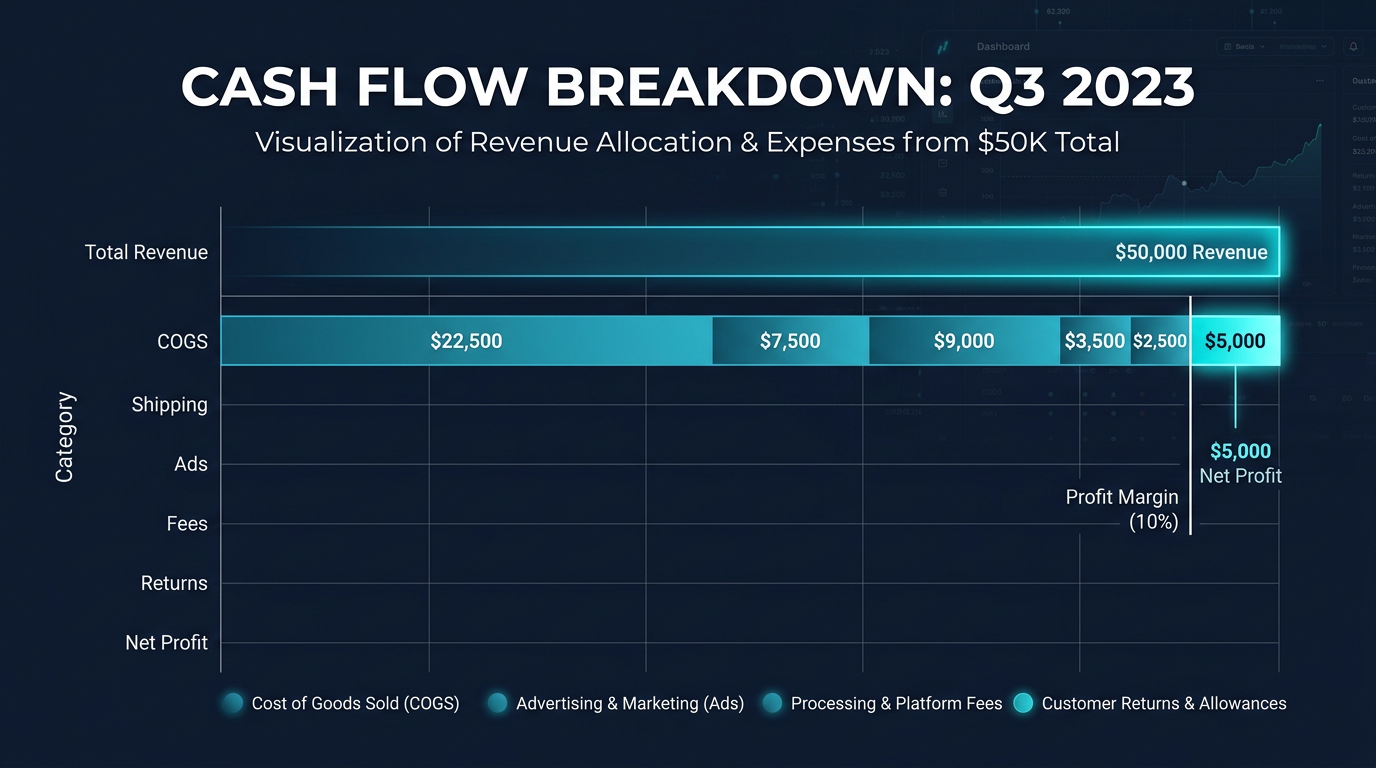
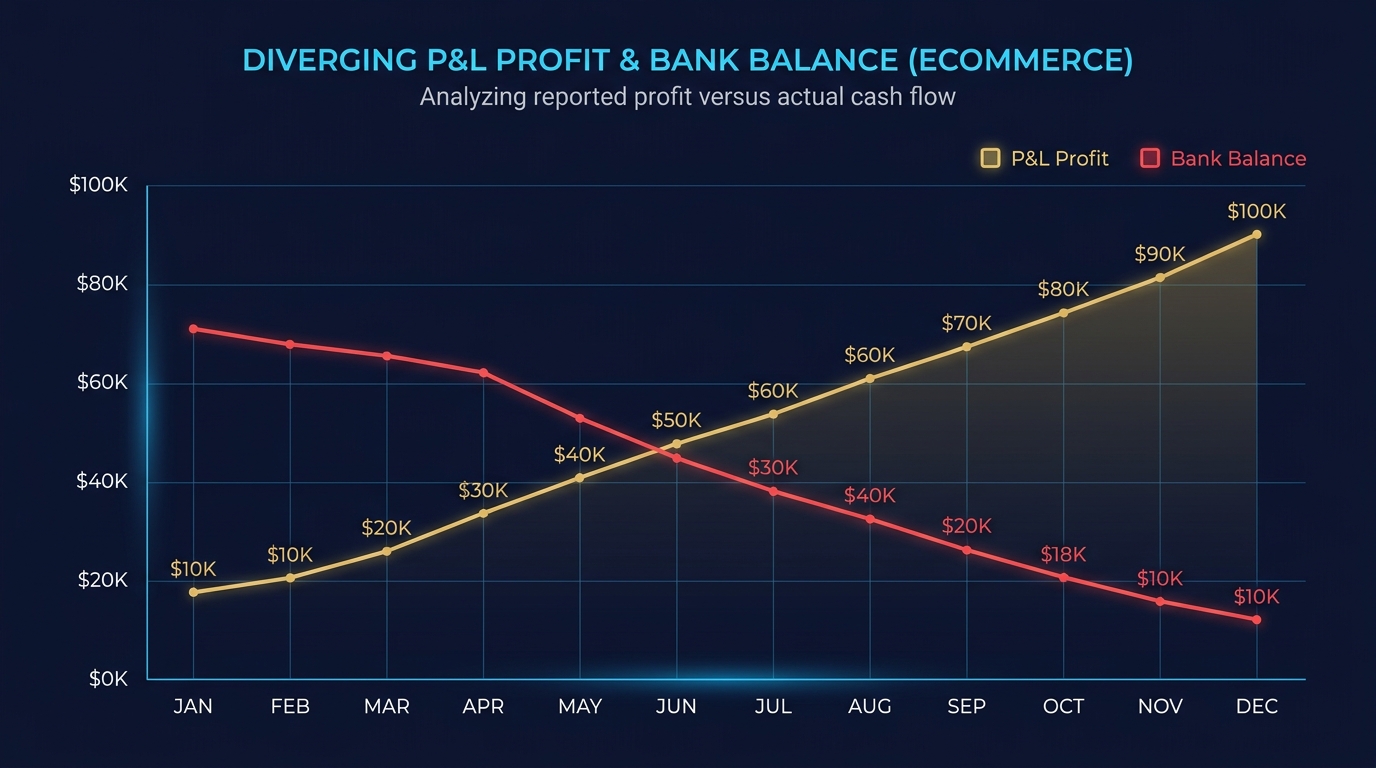
Your P&L says you made $12K in profit last month. Your bank account has $800. This is not an error. It is the cashflow gap, and it kills more stores than bad products do.
Nguyen Tuan Dai
Founder & CEO, Okiela
Key Takeaways
- 1Profit is an accounting concept recorded when a sale happens -- cash moves on a completely different timeline
- 2The cashflow gap formula: Days Inventory + Days to Get Paid - Days to Pay Suppliers = your cash exposure window
- 3An $85K/month store with $24K profit can have -$12K cash because inventory pre-purchase consumes more than profit generates
- 4The 3-account system (operating, profit reserve, tax reserve) forces cash-based thinking instead of P&L fantasies
- 538% of startup failures cite running out of cash as a primary factor -- not running out of profit
Table of Contents (7 sections)
Your P&L says you made $12,000 in profit last month. Your bank account has $800 left. You check the numbers twice. They are both correct.
This is not an accounting error. It is the cashflow gap — the single most common reason ecommerce stores shut down while technically being "profitable."
According to a 2025 CB Insights analysis, 38% of startup failures cite "ran out of cash" as a primary factor. Not "ran out of profit." Cash.
Profit and Cash Are Two Different Clocks
Profit is calculated when a sale happens. Cash moves when money actually changes hands.
The timing mismatch is brutal in ecommerce:
| Event | When Profit Records It | When Cash Moves |
|---|---|---|
| Customer places order | Immediately (revenue recorded) | 2-14 days later (payment processor holds) |
| You paid for inventory | Not yet (COGS hits when sold) | 30-90 days ago (paid supplier upfront) |
| Customer returns item | Profit gets adjusted | You already spent the cash |
| Ad spend this month | Reduces profit this month | Credit card bill due in 30 days |
| Shopify pays you | Already counted as revenue | Every 2 weeks (sometimes longer) |
Profit is an accounting concept. Cash is what pays your suppliers, your rent, and your team. They are related, but they do not move in sync.
The Cashflow Gap Formula
Here is the simplest way to understand the gap:
Cashflow Gap = Days Inventory Outstanding + Days Sales Outstanding - Days Payable Outstanding
Or in plain English:
Cashflow Gap = How long you hold inventory + How long until you get paid - How long until you pay suppliers
For a typical Shopify store:
- You buy inventory 30-60 days before you sell it
- Shopify holds your payment for 2-14 days after the sale
- Your credit card for ad spend is due in 30 days
That means your cash is tied up for 32-74 days, while your P&L cheerfully reports "profit" the moment a customer clicks Buy.
Real Example: $85K/Month Store
Let us walk through a real scenario.
The P&L story:
| Line Item | Amount |
|---|---|
| Revenue (GMV) | $85,000 |
| COGS (inventory) | $29,750 (35%) |
| Shipping & fulfillment | $6,800 |
| Payment processing | $2,635 |
| Ad spend | $14,500 |
| Returns & refunds | $5,950 |
| Platform fees & apps | $1,200 |
| P&L Profit | $24,165 |
Looks healthy. $24K profit on $85K revenue. 28.4% margin.
The cash story for the same month:
| Cash Flow Item | Amount |
|---|---|
| Shopify deposits received | +$68,400 (delayed from previous + current sales) |
| Inventory purchased (for next 2 months) | -$52,000 |
| Ad spend (credit card payment) | -$14,500 |
| Shipping invoices | -$6,800 |
| Apps & subscriptions | -$1,200 |
| Refunds processed | -$5,950 |
| Cash in bank at month end | -$12,050 |
The P&L says +$24,165 in profit. The bank account shows -$12,050 because the store pre-purchased two months of inventory.
This store is profitable. It is also running out of cash. These two facts are not contradictions — they are the normal reality of ecommerce.
The 5 Cash Traps in Ecommerce
1. Inventory Pre-Purchase
The single biggest cash drain. You buy inventory weeks or months before you sell it. Every dollar sitting on a shelf is a dollar that is not in your bank account.
A store with $30,000 in inventory and $12,000 in profit has $30,000 in cash committed to product that has not sold yet.
2. Payment Processor Holds
Shopify Payments, Stripe, and PayPal hold your money for 2-14 days. For a store doing $3,000/day, that is $6,000-$42,000 in limbo at any given time.
New merchants and high-chargeback merchants get longer holds — sometimes 30+ days.
3. Return Timing
You shipped the product (cash out), recorded the sale (profit in), and then the customer returns it 15 days later. Now profit gets reversed, but you already spent the original "profit" on next month's inventory.
With apparel return rates hitting 30-40%, the timing gap compounds fast.
4. Ad Spend Lag
Facebook and Google charge your credit card. The credit card bill is due in 30 days. But the sales from those ads trickle in over 7-21 days, and Shopify holds the payment another 2-14 days. So you paid for the ads 30 days ago, sold the product 15 days ago, and still have not received the Shopify deposit.
5. Seasonal Inventory Stacking
Q4 prep starts in August-September. You are buying $50,000-$100,000 in inventory for Black Friday that will not sell for 2-3 months. Your P&L does not show this expense until the items sell, but your cash vanished in August.
How to Track Cash vs Profit
Most accounting tools default to accrual basis (when transactions happen). To track cash, you need to monitor:
- 1Bank balance trend — plot your actual bank balance weekly, not just P&L profit
- 2Inventory investment — total cash committed to unsold inventory
- 3Accounts receivable — money owed to you (Shopify holds, delayed deposits)
- 4Accounts payable — money you owe (supplier invoices, credit card balances)
The formula: True Cash Position = Bank Balance + AR - AP - Committed Inventory
The 3-Account System
The simplest cashflow management system for ecommerce founders:
- 1Operating Account — all revenue comes in, all bills go out
- 2Profit Reserve — transfer 10-15% of every Shopify deposit immediately (this is your actual profit)
- 3Tax Reserve — transfer 25-30% of the Profit Reserve amount (covers estimated taxes)
If you cannot make the Profit Reserve transfer, you do not actually have profit. The P&L is lying to you.
This system is from Mike Michalowicz's "Profit First" methodology, adapted for ecommerce. It forces cash-based thinking instead of P&L-based thinking.
What Okiela Shows You
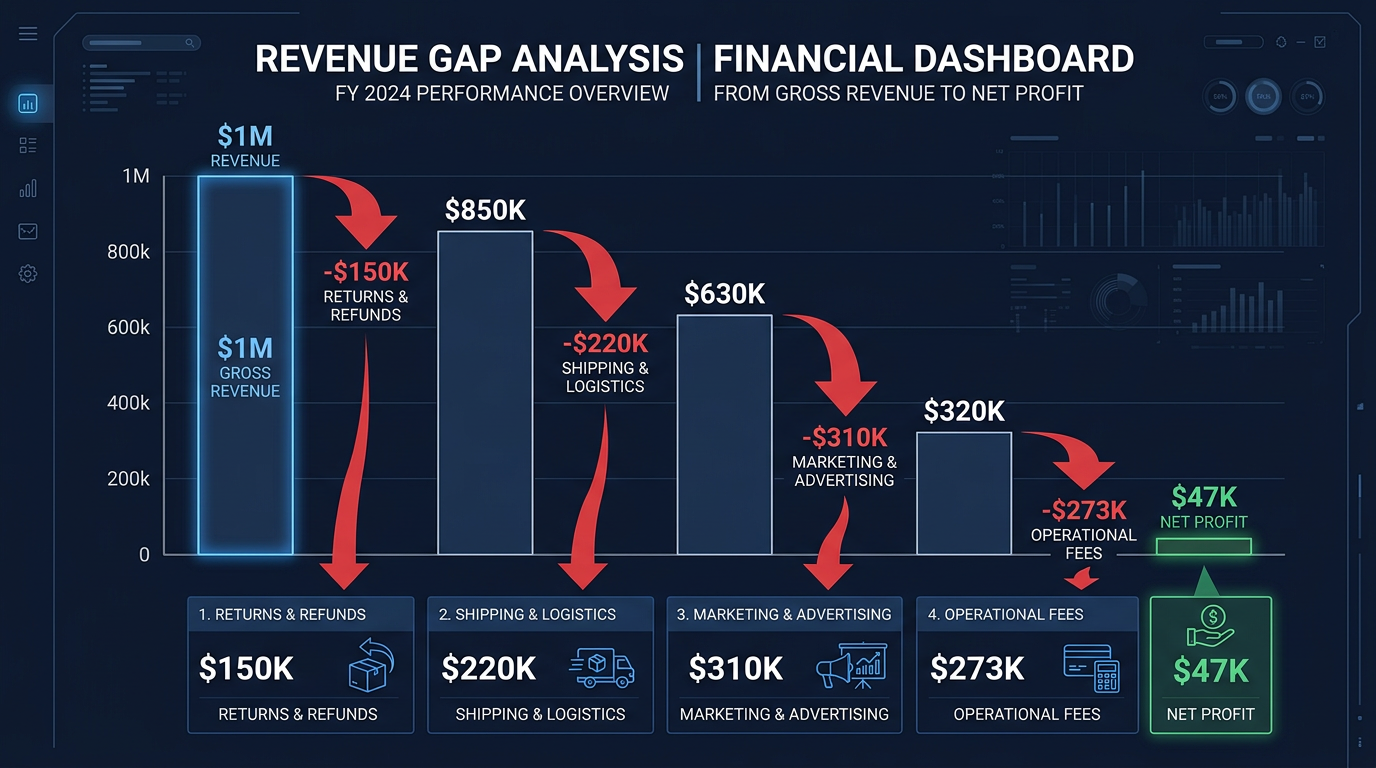
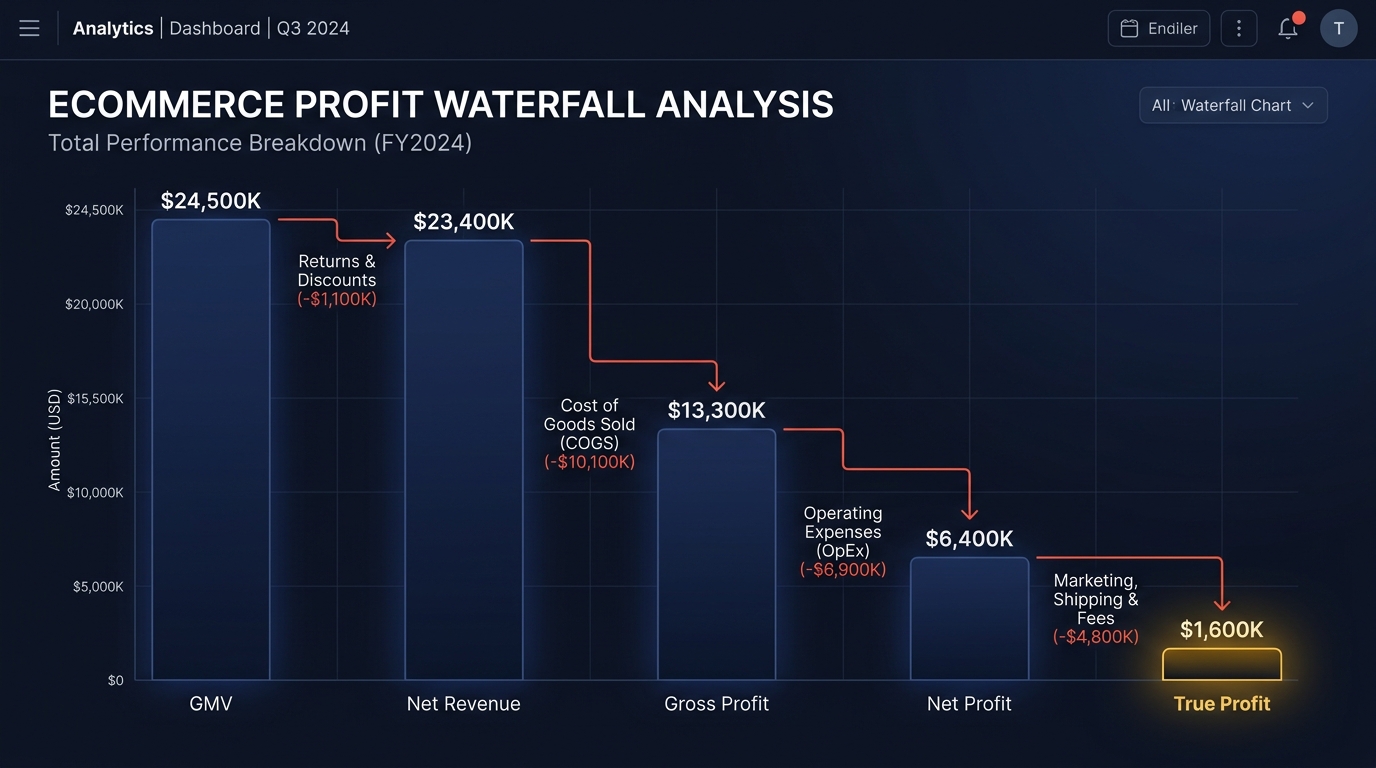
When you upload your Shopify export to Okiela, the profit waterfall breaks your revenue into five levels:
- L1: Gross Revenue (GMV) — what customers paid
- L2: Net Revenue — after returns and discounts
- L3: Gross Profit — after COGS
- L4: Net Profit — after variable costs (shipping, fees, processing)
- L5: True Profit — after ad spend and fixed costs
This gives you the profit story. But more importantly, the per-SKU breakdown shows you WHERE the cash is going — which products tie up the most inventory capital relative to their profit contribution.
Upload your Shopify data for free (3 analyses/month). See the gap between what your P&L says and what your bank account knows. The number is always bigger than you expect.
Find the hidden profit leaks draining your store.
Send one order export. Get your 3 biggest profit leaks back within 48 hours.
Request a free Profit Leakage AuditFree, founder-run, no pitch unless you ask. Every number labeled Verified or Estimated. Remove customer PII before upload.
Enjoyed this article?
Get weekly profit optimization tips and Okiela product news delivered to your inbox.
No spam. Unsubscribe anytime.
Nguyen Tuan Dai
Founder & CEO, Okiela
FP&A analyst building ecommerce tools on the side. Helping founders see their real numbers since 2025.